How Does WiFi Actually Work?
Radio waves, routers, frequencies, and protocols — the wireless technology connecting billions of devices, finally explained.
- How routers convert internet data into radio waves
- 2.4 GHz vs. 5 GHz vs. WiFi 7 — what the numbers mean
- Why WiFi slows down with walls, distance, and more devices
- Mesh networks, WiFi 7, and the future of wireless connectivity
1. What WiFi Is Actually Sending Through the Air
How Does WiFi Actually Work?
Radio waves, routers, frequencies, and protocols — the wireless technology connecting billions of devices, finally explained.
WiFi is a local radio link
WiFi is a wireless networking standard that moves data between devices and an access point, usually a router.
The router does two jobs:
- It connects to the wider internet through a modem or fiber terminal.
- It converts digital packets into radio transmissions and back again.
A useful analogy is a translator at a border crossing. The internet side speaks wired networking. Your phone speaks WiFi. The router converts between them so both sides understand the same data.
Important terms:
- Packet: a small bundle of data with addressing information
- Access point: the radio device that devices connect to
- SSID: the network name you see in the WiFi menu
- Channel: the slice of radio spectrum the network uses
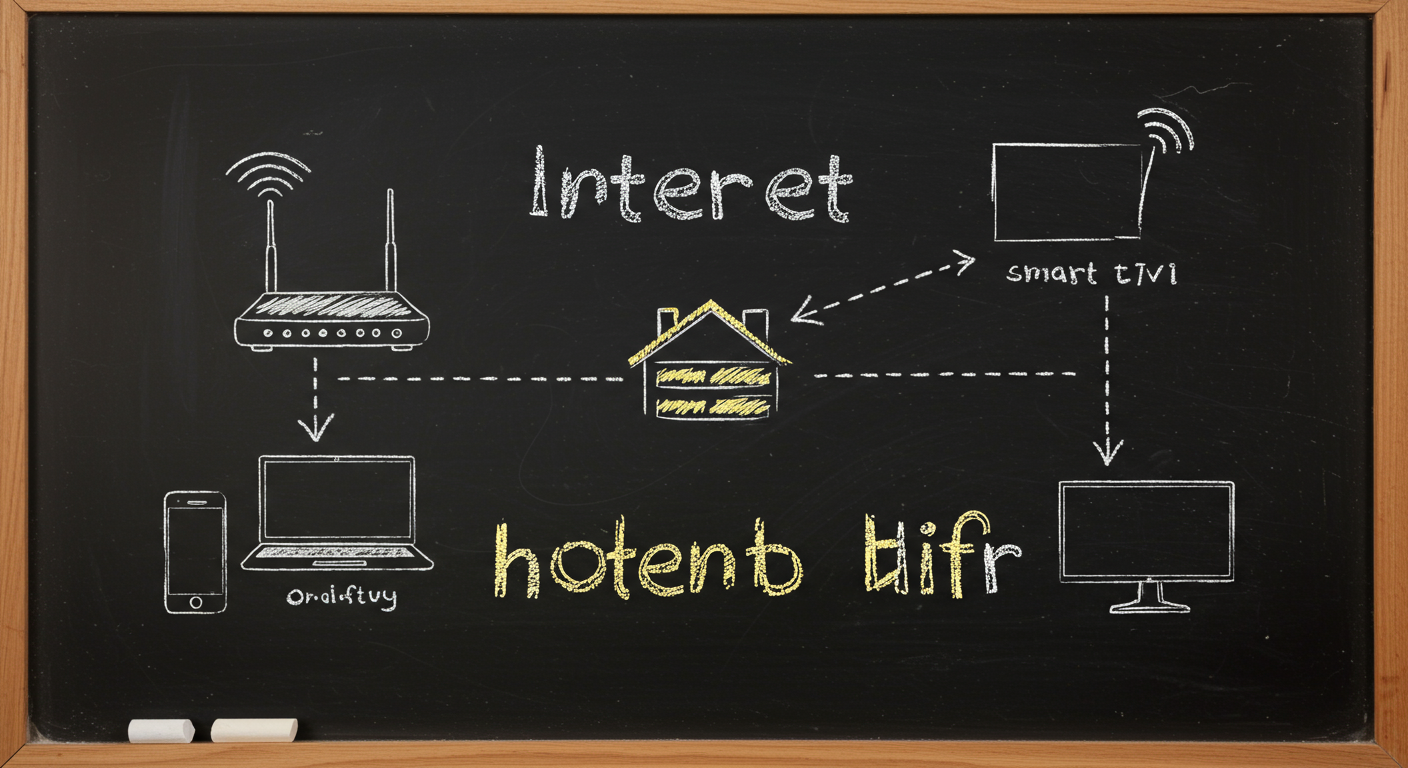
What the router is really doing
Inside the router, a WiFi radio modulates the signal. Modulation means changing a property of the wave, such as its phase or amplitude, so it can carry bits. Modern WiFi uses complex schemes like orthogonal frequency-division multiplexing, or O-F-D-M, to split data across many subcarriers at once.
That matters because the air is messy. Other networks, microwaves, Bluetooth devices, and even reflections off walls all create interference. WiFi is designed to keep decoding data even when the signal is imperfect.
A good mental model is a choir singing many notes at once instead of one loud note. If one note gets distorted, the rest still carry the message.
2. Why 2.4 GHz, 5 GHz, and 6 GHz Feel So Different
Frequency bands in WiFi
The common WiFi bands are 2.4 gigahertz, 5 gigahertz, and 6 gigahertz.
What the numbers mean:
- 2.4 GHz = 2.4 billion cycles per second
- 5 GHz = 5 billion cycles per second
- 6 GHz = 6 billion cycles per second
Lower frequency usually means better range and wall penetration. Higher frequency usually means more available spectrum and less crowding.
This is why a 2.4 GHz network often works farther away, while a 5 GHz or 6 GHz network can feel faster when you are close to the router.
Real-world note: 2.4 GHz has only three non-overlapping 20 MHz channels in many regions, which is one reason it gets congested quickly.
WiFi 7 and the number game
WiFi 7 is the marketing name for IEEE 802.11be. It uses wider channels, up to 320 MHz in the 6 GHz band, and can combine links with Multi-Link Operation. That means a device can use more than one band at the same time, which helps with speed and reliability.
The takeaway is not that the biggest number always wins. It is that each generation changes how efficiently the radio spectrum is used. WiFi 7 is better at packing more data into the same airspace.
3. Why Walls, Distance, and Devices Slow WiFi Down
Three reasons WiFi slows down
- Distance
- Obstacles
- Contention from other devices
Radio signals lose strength as they spread out. This is called path loss. Indoors, walls and furniture add extra attenuation, which is signal loss caused by materials absorbing or reflecting energy.
WiFi also shares airtime. Even if your laptop is the only device actively downloading, nearby networks can still force more waiting and retries.
A useful analogy is a single-lane bridge. More traffic means more waiting. A weaker signal is like fog on the bridge. Drivers can still cross, but they must slow down.
Why speed drops before the bars do
A phone may still show full bars while actual throughput falls. That is because signal bars are a rough estimate. The network may still be connected, but it needs more retries or a more conservative data rate.
In practice, a device close to the router on 5 GHz may get hundreds of megabits per second. Move it into another room, and the speed can fall sharply even though the connection does not disconnect.
4. How WiFi 7, Mesh Networks, and Smart Routing Help
Mesh networks versus a single router
A single router radiates from one point. A mesh network spreads coverage across several nodes.
Mesh is useful when:
- Your home is large
- Walls block signal strongly
- You need coverage on multiple floors
- One router leaves dead zones
Mesh is less helpful when the nodes are too far apart or when the wireless backhaul is congested.
Backhaul means the connection between mesh nodes and the main router or gateway.
WiFi 7 features that matter
WiFi 7, based on IEEE 802.11be, adds:
- 320 MHz channels in 6 GHz where allowed
- 4K QAM, which packs more bits per symbol than 1024-QAM in WiFi 6 and 6E
- Multi-Link Operation, or MLO
- Better puncturing, so a channel can avoid interference more flexibly
4K QAM can increase peak data rates, but only at very strong signal levels. Farther away, devices fall back to more robust settings.
That is the pattern across all WiFi generations: the best speed appears only when the radio conditions are excellent.
5. What Happens in a WiFi Connection From Click to Packet
From click to data frame
A WiFi session has several stages:
- Scan for nearby networks
- Authenticate with security credentials
- Associate with the access point
- Exchange data frames
- Retry if a frame is damaged
This process is governed by the IEEE 802.11 family of standards. The device and router follow the same rules so they can share airtime without colliding constantly.
sequenceDiagram participant Device participant AP participant Internet Device->>AP: Scan and connect AP-->>Device: Security and association Device->>AP: Data frame AP->>Internet: Forward packet Internet-->>AP: Response packet AP-->>Device: Return data
Why retries matter
WiFi is built to be reliable over a noisy channel. If one frame fails, the network can resend it. That protects data integrity, but it costs time.
A good analogy is mailing postcards with a return receipt. You know whether one arrived. If it did not, you send it again. WiFi does the same thing at radio speed.
Modern routers and clients constantly adjust their data rate, channel width, and antenna use to keep that balance between speed and reliability.
The big picture
WiFi works because routers turn packets into radio waves, devices decode them, and the protocol keeps everyone synchronized. Frequency affects range and congestion. Walls and distance affect signal quality. Mesh and WiFi 7 improve coverage and efficiency. The technology is not one trick. It is a layered system, tuned for the messy reality of homes, offices, and crowded cities.
Keep going with Slate
Pick up where this left off in your own voice session.