1. The 2026 Threat Picture
0:006:56
Computer Science

Cybersecurity Threats in 2026: What You Need to Know

AI-powered phishing, deepfake scams, and zero-trust — the cyber threat landscape has changed. Learn how to stay safe.

Apr 22, 20267 min listen5 chapters
What you'll learn
  • How AI is used in both attacks and defense
  • Deepfake social engineering and AI-powered phishing
  • Zero-trust architecture explained simply
  • Practical steps to protect yourself and your organization

1. The 2026 Threat Picture

note

Cybersecurity Threats in 2026: What You Need to Know

AI-powered phishing, deepfake scams, and zero-trust — the cyber threat landscape has changed. Learn how to stay safe.

note

Cybersecurity threats in 2026

The biggest change is not a single new exploit. It is the industrialization of social engineering.

AI helps attackers at three stages:

  • Reconnaissance: collecting names, roles, vendors, and habits from public data
  • Persuasion: generating believable emails, chats, and voice calls
  • Adaptation: rewriting the scam when a target asks questions

Defenders use AI for:

  • Spam and phishing detection
  • Anomaly detection in logins and transactions
  • Malware classification and triage

A useful mental model: AI is a force multiplier, not a magic wand. It makes both good and bad actors faster, but it does not remove the need for identity verification, patching, backups, and least privilege.

diagram
chart · bar
How attackers scale with AI
Manual phishingAI drafted emailAI plus voice cloneAI plus automation
note

What changed since 2020

In 2020, many phishing campaigns were broad and sloppy. In 2026, many are narrow and contextual. A message may reference a real supplier, a real meeting, or a real document title.

That matters because people trust details. A scam that mentions the right project name feels like a locked door with the wrong key still turning. It looks close enough to open.

The practical lesson is this: treat message content as untrusted, even when it sounds familiar.

2. AI-Powered Phishing and Deepfake Social Engineering

note

AI-powered phishing

AI-powered phishing uses models to create messages that look and sound legitimate. The attack may include:

  • Personalized wording based on public profiles
  • Grammar and tone that match the target organization
  • Fake documents, invoices, or login pages
  • Voice cloning for phone-based fraud

Deepfake social engineering

Deepfakes are synthetic audio, video, or images that imitate a real person. The danger is strongest when the request is:

  • Urgent
  • Financial
  • Confidential
  • Hard to verify quickly

Why this works

Humans use shortcuts under pressure. If a message looks familiar, sounds authoritative, and demands immediate action, the brain wants to comply. Security training helps, but process controls matter more when the stakes are high.
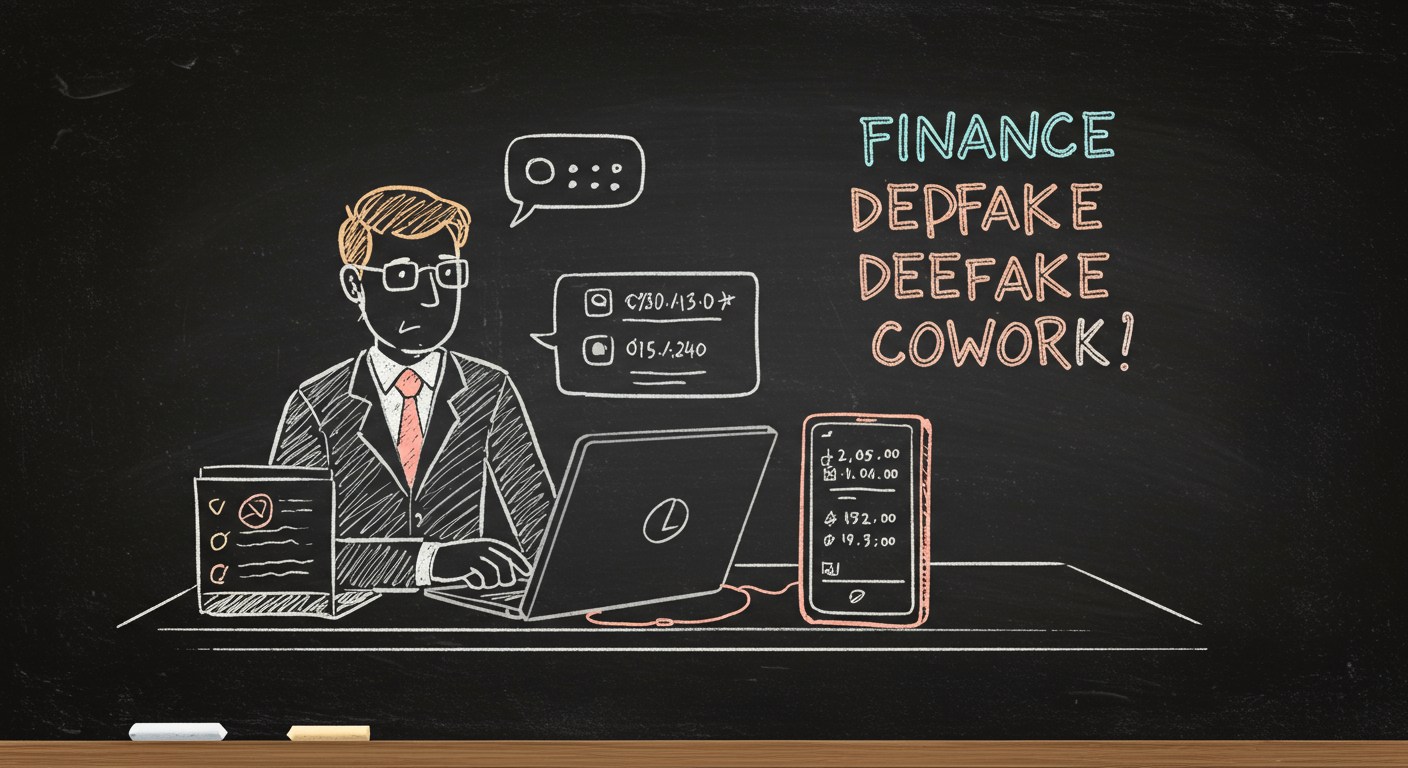
diagram
illustration
A finance employee on a video call noticing a deepfake coworker and checking a callback number on a separate device
note

Red flags that matter

  • A request to keep the matter secret
  • A change in payment details
  • A login page that appears after an unexpected message
  • A caller who refuses a callback through known channels
  • A message that creates panic, shame, or time pressure

A simple rule helps: when the request is unusual, the verification must be stronger than the message.

3. Zero-Trust Architecture Explained Simply

note

Zero-trust architecture

Zero-trust means every access request is evaluated using context, not location.

Core principles:

  • Verify explicitly: authenticate and authorize every request
  • Use least privilege: give only the access needed for the task
  • Assume breach: design as if an attacker is already present

Common controls:

  • Multi-factor authentication
  • Device posture checks
  • Microsegmentation
  • Just-in-time access
  • Continuous logging and alerting

Zero-trust does not mean no trust anywhere. It means trust is earned per request, not granted by network position.

diagram
equation
Risk=Likelihood×ImpactRisk = Likelihood \times Impact
note

What zero-trust fixes

If a password is stolen, a flat network lets the attacker roam. Zero-trust narrows the path.

If a contractor only needs one application, zero-trust avoids exposing the rest.

If a device becomes suspicious mid-session, continuous checks can cut access before the damage spreads.

4. Practical Defense for People and Teams

note

Practical protection checklist

For individuals:

  • Use a password manager
  • Turn on phishing-resistant multi-factor authentication when available
  • Verify payment or account-change requests by a second channel
  • Keep operating systems and apps updated
  • Be skeptical of urgent voice or video requests

For organizations:

  • Enforce least privilege
  • Use conditional access and device checks
  • Train staff on deepfake and phishing scenarios
  • Back up critical data and test restores
  • Monitor for account takeover signals

Why SMS is weaker

Short Message Service codes can be redirected through SIM swap attacks or stolen during phishing. Security keys and passkeys bind authentication to the real website, which makes fake login pages much less useful.

chart · pie
Defense layers that reduce breach impact
MFA and passkeysPatchingBackupsLeast privilegeMonitoring
diagram

5. A Response Playbook for 2026

note

Incident response for suspected AI scams

  1. Stop the action
  2. Verify using a known contact path
  3. Preserve evidence
  4. Report to security or finance
  5. Reset access if credentials were exposed
  6. Review logs and session history

Signs you should escalate immediately

  • A payment destination changed at the last minute
  • A senior leader asks for secrecy plus urgency
  • A login prompt appears after a strange message
  • A voice or video request feels slightly off, especially under pressure

The core habit

Do not decide based on how realistic the message looks. Decide based on whether the request passes an independent check.

diagram
note

Final takeaway

The 2026 threat model is not about one super attack. It is about better impersonation at scale.

Your defense stack should do three things:

  • Make identity hard to fake
  • Make access narrow and temporary
  • Make suspicious actions easy to verify

That is how you stay safe when the attack itself sounds human.

Transcript

Welcome to Slate. Today we're looking at Cybersecurity Threats in 2026: What You Need to Know. We'll cover How AI is used in both attacks and defense, Deepfake social engineering and AI-powered phishing, Zero-trust architecture explained simply, and Practical steps to protect yourself and your organization. Let's get into it.

Cybersecurity in 2026 is shaped by speed, scale, and automation. Attackers no longer need to write every phishing email by hand. Large language models can draft convincing messages in seconds, and voice cloning can imitate a boss, a vendor, or a family member with alarming realism. The result is simple: scams are cheaper to launch and harder to spot. Here’s the key shift. A classic phishing email used to have awkward grammar or odd branding. Now the message can be polished, personalized, and timed to match a real event, like an invoice cycle or a travel day. That is why human judgment alone is weaker than it used to be. The diagram shows the new attack chain. AI helps criminals research targets, write messages, and adapt when a victim hesitates. Defenders use AI too, but they are reacting to a much larger volume of suspicious activity. Think of it like a flood with both sides using faster pumps. The side with better detection, better identity checks, and fewer trusted assumptions has the advantage. In this lesson, we will separate hype from real risk. Not every AI attack is magical. Most still depend on the same old weakness: a person is pressured to click, approve, pay, or reveal access. The technology changed. The psychology did not.

Phishing in 2026 often arrives as a conversation, not a single email. A message may begin in email, move to chat, and end with a phone call. That is where deepfakes become dangerous. A cloned voice can sound convincing for short requests, especially when the caller creates urgency. A good example is the 2024 Hong Kong fraud case reported by the police, where a finance worker was tricked during a video meeting with deepfaked coworkers and transferred about 200 million Hong Kong dollars, roughly 25.6 million U.S. dollars. The lesson is not that every video call is fake. The lesson is that seeing a face is no longer enough. The process diagram shows how these attacks work. First comes data gathering. Then the model generates a believable script or voice. Then the attacker tests for a weak point, usually urgency, secrecy, or authority. If the target resists, the script is edited and tried again. The best defense is to make verification boring and routine. Use a second channel. Call a known number. Require a callback for payment changes. For high-risk requests, add a code word or a signed workflow. Fraud hates friction. Good security adds just enough of it.

Zero-trust is often misunderstood as a product. It is not. It is a security model. The short version is this: never trust a request just because it comes from inside the network. That idea became necessary because networks are no longer tidy office castles with one gate. People work from home, apps live in cloud services, and data moves across devices and vendors. Once an attacker gets one foothold, old-style trust can turn a small breach into a large one. The diagram shows the logic. Every access request is checked. Identity is verified. Device health is checked. The resource is limited to only what the user needs. If something looks odd, access can be reduced or rechecked. A useful analogy is a concert venue. A ticket gets you through the door, but not backstage, not the sound booth, and not the cash room. Zero-trust applies that same idea inside the organization. Access is specific, temporary, and monitored. This is not about making work miserable. It is about assuming that networks, devices, and even accounts can be compromised. When you assume compromise, you design for containment. That is how a small incident stays small.

Good defense starts with habits, but it cannot stop there. People make mistakes. Systems must catch the ones that matter. For individuals, the highest-value move is to protect accounts with phishing-resistant multi-factor authentication. Passkeys and FIDO2 security keys are much stronger than SMS codes, because a stolen text message can be intercepted or socially engineered. Use a password manager so every account has a unique password. That blocks credential stuffing, which is still one of the most common attack paths. For organizations, the basics still win. Patch internet-facing systems quickly. Back up data offline or in immutable storage. Segment networks so one compromised account cannot reach everything. Log authentication events and watch for impossible travel, unusual device changes, and repeated failed logins. The checklist on screen is not glamorous, but it is effective. Security is often a stack of small controls that make one big failure much harder. Think of it like a bike lock, a chain, and a locked garage. Any single layer can be cut. Three layers together change the attacker’s economics. The goal is not perfect safety. The goal is to make attacks noisy, expensive, and easy to recover from.

When something feels off, speed matters. A suspicious payment request, a strange login, or a possible deepfake should trigger a simple playbook. Stop. Verify through a known channel. Preserve evidence. Escalate if the request touches money, credentials, or sensitive data. The sequence diagram shows the best order. The user does not argue with the message. The user verifies the sender out of band, meaning through a separate channel that the attacker is unlikely to control. That can be a known phone number, a secure chat already on file, or a ticketing workflow. If the incident is real, document the time, sender, screenshots, headers, phone numbers, and transaction details. Then reset credentials, revoke sessions, and check for forwarding rules or new devices. For organizations, isolate affected accounts quickly. The first hour after discovery often decides how far the damage spreads. The big idea is simple. AI makes deception faster. Zero-trust makes deception less useful. Strong verification turns a dramatic scam into a failed attempt. That is the standard for 2026: assume messages can be forged, assume voices can be copied, and build systems that still hold when trust is missing.

XLinkedInWhatsApp

Keep going with Slate

Pick up where this left off in your own voice session.

Built with Slate